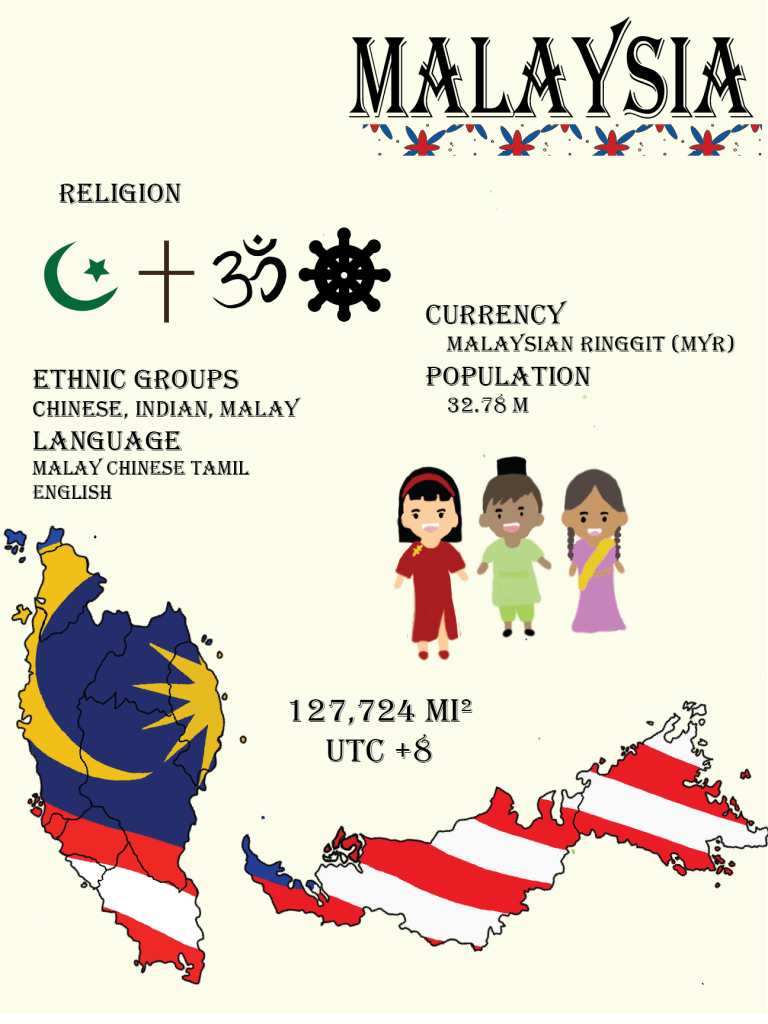
I made an infographic poster about my country – Malaysia!
COM210 portfolio at WSU2019Fall

I made an infographic poster about my country – Malaysia!

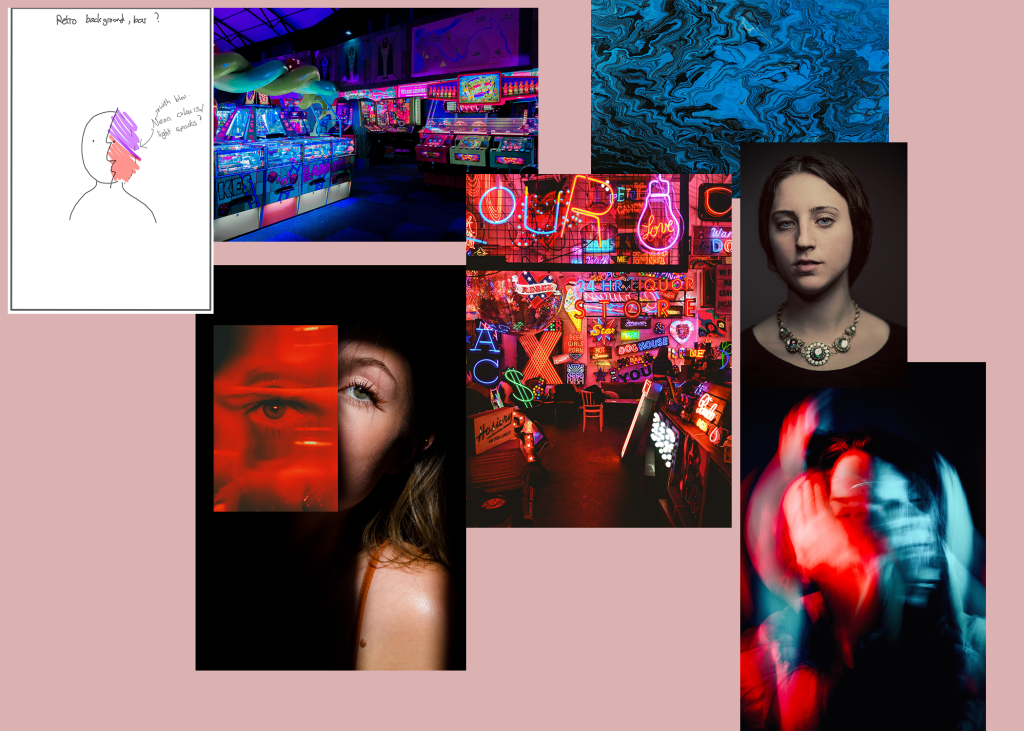
Mood Board
My first thought was to use an upfront face shot of a person as the background, and layer images and effects over it to create a story. After drawing out my first sketch, I thought that it would be a better idea to have a chaotic background and a photo of a calm figure for contrast. Some of my keywords were “chaos”, “neon”, and “contrast (still, disturbance)”.
I really liked the red background so I decided to use that, and the photo of the lady as my subject. I chose the lady because the photo gave a very silent calm feeling to it which is the opposite feeling that I got from the red background. Initially, I thought to overlay another photo over the lady’s face but as my background was very colorful and had loads of details I changed my mind.
Final Product
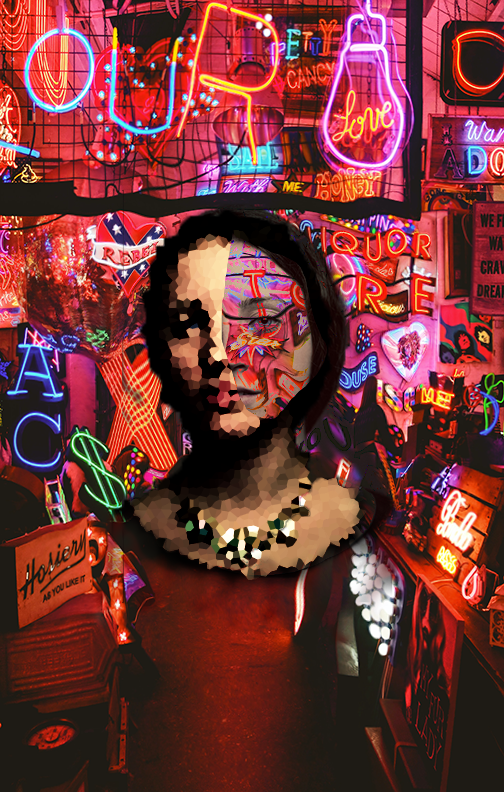
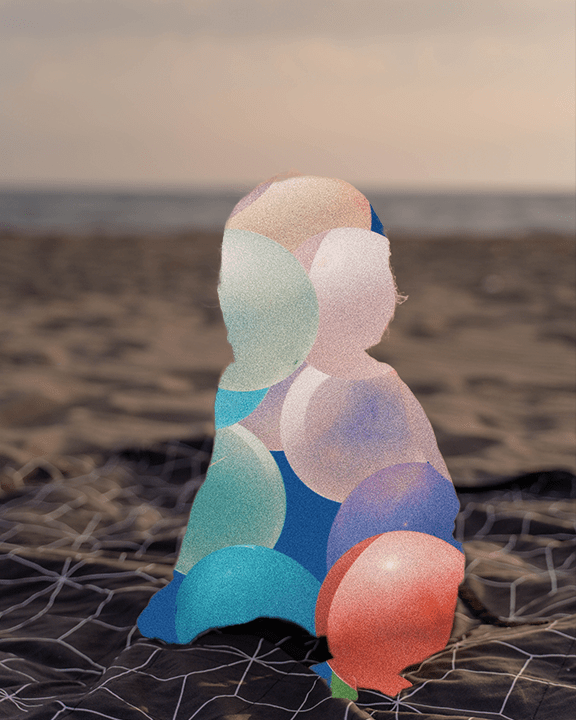
I had two layers, the bottom two layers included the whole face, and I used a “darker color” blend mode so the face looked transparent but darker features such as the eyes and hair were still obvious. I then added a layer over it which had the right side of the face cropped out, and used a “Crystalize” filter over it to make that part of the face stand out and look like a mask. As the right side of the face had a “darker color” blend the face portion was very light, so the background was able to peek through. I then used a “curve” on the mosaic part of the face to edit the lighting to make some parts darker, and others lighter so the subject can stand out more. For the background, I didn’t want things to be straight so I added a “distort” filter “zigzag” to create a sense of chaos.
My thought was to create a layer-in-layer, kind of telling people that you can’t judge a book by its cover, a person can look really calm but have a crazy personality, or a person can seem crazy but be really calm and gentle.
Sources
I found all my photos on unsplash. Links:
https://unsplash.com/photos/8Gdayy2Lhi0
https://unsplash.com/photos/oYFv-_JKsVk
https://unsplash.com/photos/SU35VU5de1o
https://unsplash.com/photos/ZxmYaxGuhBw
https://unsplash.com/photos/sknAQ799dWI
https://unsplash.com/photos/_h1Mi3TX-rk
https://unsplash.com/photos/_I5DYcYuo6c

Positive and Negative Space
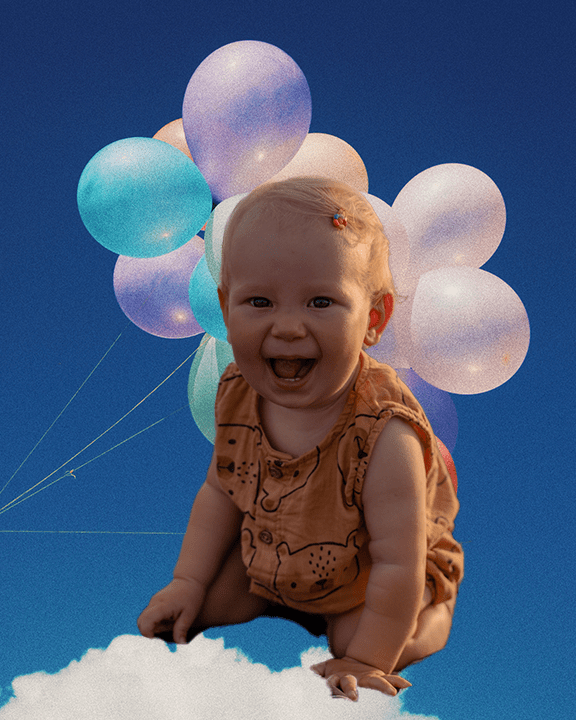

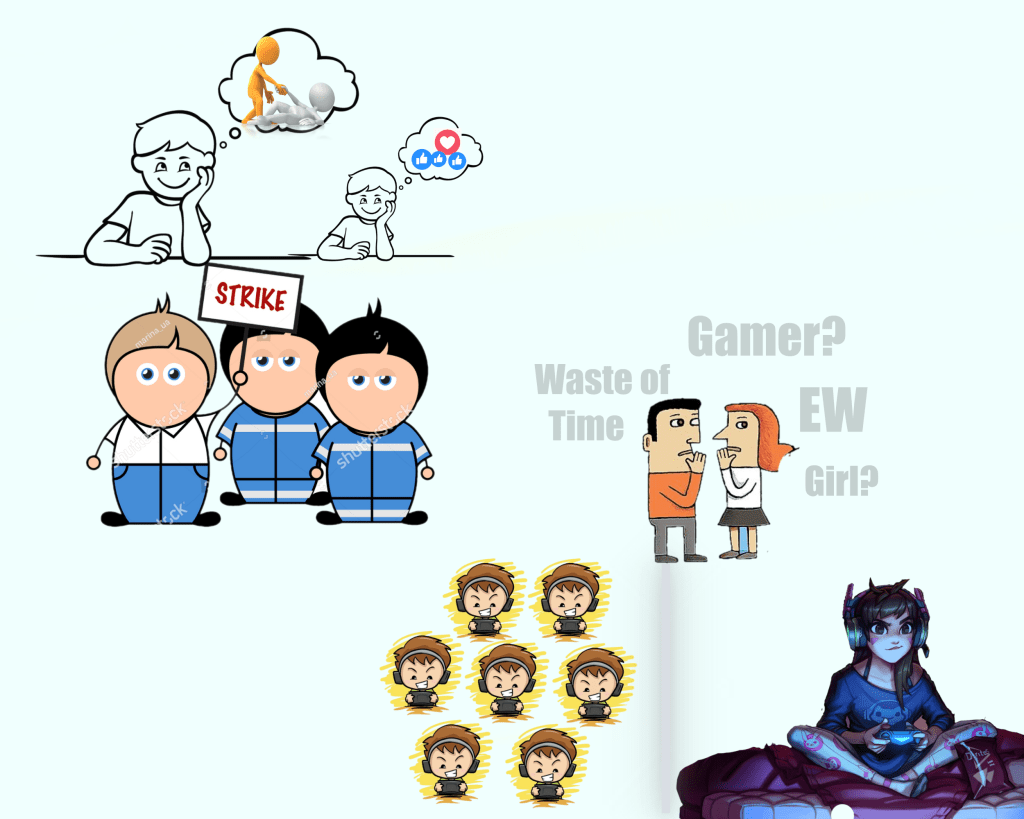
The vision for my poster was to portray gender, racial equality, and digital activism. The greyish-blue background was used for two purposes. First, the color blue is often associated with males. The “grey” in the background represents how there are some grey areas in gaming, such that there are some gender equality and racial issues, such as stereotypical characters in games. There are multiple male gamers, but only one female gamer to show how gaming used to only be associated with boys, but girls can play games too, and there are now increasing numbers of girls that are playing video games, even competitively.
There is a thin blurry border between the male gamers and the female gamer. This is to represent the isolation that female gamers may face when they first enter the community as people have a fixed impression of gamers for a long time. The two people talking behind the players are to represent people’s prejudice against female gamers and the gaming community. Even though there is a lot behind gaming, people still have a negative impression regarding gaming, and it will take time to change their minds.
This chain of events leads to activism, in our case, digital activism. While social media can be helpful for activists to voice their concerns, there are also disadvantages. While information is spread easily, and people from all across the country and world can participate and put in the effort for change, misinformation can be spread fast and easily. This can cause major disruption and can shift the focus away from the actual cause.
While most people who participate in an activism event want to change, there may be incidents of individuals participating only because of the hype and want to gain popularity from voicing out.
Sources:
https://pngtree.com/freepng/cute-boy-playing-game-illustration_5147739.html?share=3
Reactions Now Available Globally
https://www.pinclipart.com/downpngs/TwxRm_north-west-hope-cartoon-people-helping-each-other/
https://quotesgram.com/img/quotes-about-talking-behind-someones-back/11459708/
As my course topic is “My badminton training”, I thought that the most obvious and closely related video story I could create was of badminton training. I thought such an informational or instructional video could really allow people to know more of badminton training and how it is not as easy as it looks. For my design process, I thought of how to place the sequence of the different training so it would feel awkwardly placed and recorded my audio based on the length of the video. I have joined badminton training before so I also thought of the usual sequence of training, and set up my clips in a way that would take place in similar order to an actual badminton training.
All the elements used in my project was recorded by myself. The videos were taken using my phone and the voiceover was recorded using Premiere.
All the tools and technique that I used were techniques that were taught in the Premiere tutorial. I felt that my software kept on making my videos glitch so I didn’t know when to stop the video. For people facing this problem, I would suggest to cut the video in your phone gallery before exporting it.
My video was slightly edited after getting feedbacks from my classmates. The two common problems was that the volume of my voiceover was very low, and two, I could have added some texts so that my audience could better follow through. This were very usefully comments and I felt the same. Thus turned up the volume of my audio clips using “Dynamics Processing Audio” and added texts with the names of the techniques. Another possible areas of improvement that I received was to add background music. However, I thought that my video involves a lot of information and talking, therefore I did not include background music, as I wanted to keep the audio clear. Overall I was very happy working with Premiere, but there were two problems which I couldn’t solve and was very annoying. The first problem was that my videos kept on glitching and even after I cut the videos on my phone, it would still glitch from time to time. The second problem was that the quality of the videos were not good. This could possibly be because I messed up the setting, as the raw footages looked fine, or it could be because I needed to use a camera for better quality. However, I was unable to fix this problem.
As my course topic is “My badminton training”, I thought that the most obvious and closely related video story I could create was of badminton training. I thought such an informational or instructional video could really allow people to know more of badminton training and how it is not as easy as it looks. For my design process, I thought of how to place the sequence of the different training so it would feel awkwardly placed and recorded my audio based on the length of the videos.
All the elements used in my project was recorded by myself. All the tools and technique that I used were techniques that were taught in the Premiere tutorial. I felt that my software kept on making my videos glitch so I didn’t know when to stop the video. For people facing this problem, I would suggest to cut the video in your phone gallery before exporting it.
The videos are raw footage which I think can be used for my video story. I plan to create a informational video that teaches people the basics of badminton training. The storyboard holds my rough ideas.
Story board “Badminton Training”
| Visual Elements | Audio Elements |
|
0:00-0:15 Visualization of training in court |
Voiceover of the purpose of
the video. Sound effects: the sound od badminton shuttles fading in an out. |
|
0:15-0:25 Basic training 1 that is done outside of the court. | Reason for doing this exercise or training, and how it will help when you play on court. |
|
0:25-0:35 Basic training 2 that is done outside of the court. | Reason for doing this exercise or training, and how it will help when you play on court. |
|
0:35-0:55 Trainings for footwork on court. |
Explanation of why such training is required
and how to carry out this training. Possible sound effect: could include the sound of badminton shoes in contact with the floor while running. |
|
0:55-1:15 The two types of grip in badminton, forehand and backhand grip. | Explanation of the difference between the two grips and how it effects the player. |
|
1:15-1:25 Way 1 of serving. | Explains the movements and the type of situations that this type of serve is useful for. |
|
1:25-1:35 Way 2 of serving. | Explains the movement and the type of situations that this type of serve is useful for. |
|
1:35-1:50 Demonstration of common badminton shots “Clear”, “Net shots” and “Smash” | Explanation of each stroke |
| 1:50-2:00 Short clip of people playing a game/trainings on court. | Wrap up by giving my thoughts and opinion on badminton training and what it has taught me. |
The videos below are created for my premiere tutorials for com210.
For this project, I created an audio story interviewing badminton club members from different countries and how they carried out training in their country. My course topic is badminton training. As badminton training can be carried out in various ways, it is interesting to know how badminton training can differ in different countries. Based on my experience, there are two types of training; professional and recreational. Personally, I have trained for recreational purpose previously. These badminton club members which I have interviewed have trained to participate in tournaments and it is interesting to see the difference in level of difficulty.
The idea for this project who thought of after going through the list of examples given on the course content page. I wanted to do an interview and I knew that many of the badminton club members come from different countries and have trained for tournaments previously. Therefore, I thought that it would be interesting to interview them and see the difference in training methods from different countries. I listened to the interview from the audition tutorials and got a grasp of how an interview should be conducted and had a firm idea of how I wanted my interview to sound like.
Currently, I do not have any ambient sounds or background noise elimination, but I am hoping to record sounds of badminton shuttles being hit and including it in my audio story.
I recorded all the audio records using a smartphone and sent it over to my computer to edit it. I created a new multitrack session and included all the audio files that I record and cut out parts with long pauses of phrases such as “umm” and “like…” using the razor tool. I also used the zoom in and out tool for both amplitude and time to get a clearer view of the cutting points and to decrease the volume of the audio so that it is not overwhelming. As there were many cuts in one audio, I used the tool under effect :match loudness” to make everything cohesive.
After receiving feedback from my draft, I made a few changes to my project. The main feedback that I received was to add a introduction to the beginning of the story rather than a blunt question and possibly, a conclusion. I thought this was a great idea and incorporated these feedback into my final audio story. I started with so ambient sounds created during badminton as suggested to draw in the attention of my audience and to allow them to feel included and faded out towards the end of the recording. This time, I started with an introduction of my experience with badminton and how I am curious how training can differ in different countries. To end the audio story, I placed a quote by one of the worlds’ best badminton player – Lee Chong Wei which read “Skill will win you medals, but attitude win hearts” and concluded that badminton training is not only about skills. It is also preparing us mentally to have good sportsmanship. I
I did not encounter any technical challenges in this part of the project as I was using skills taught in the audition tutorial. However, I think that there is the probability of running into technical challenges once I try to incorporate more effects. For people who encounter technical challenges, I would suggest to check out the audition tutorials or search online for audition tool help. I used the fade in tool at the beginning and end of each audio clip to create a smooth flow of sound.
All the materials using in my project was created by myself.




 FangYu's Blog